
The Ohio business search can be used to search an online state database for trademarks, which can be in the form of a name, phrase, or a description of a visual logo or other mark.[1] Before registering a state trademark, it is often advised or necessary to also check national and international databases to verify its availablility.
State trademarks registrations are valid for 10 year periods and can be continuously renewed by filing an application within 6 months of their expiration date.[2] After being registered, a trademark must be assigned by its owner via a signed document that may be recorded with the Secretary of State.[3]
Trademark Search
1. Go to the “Business Search” Webpage
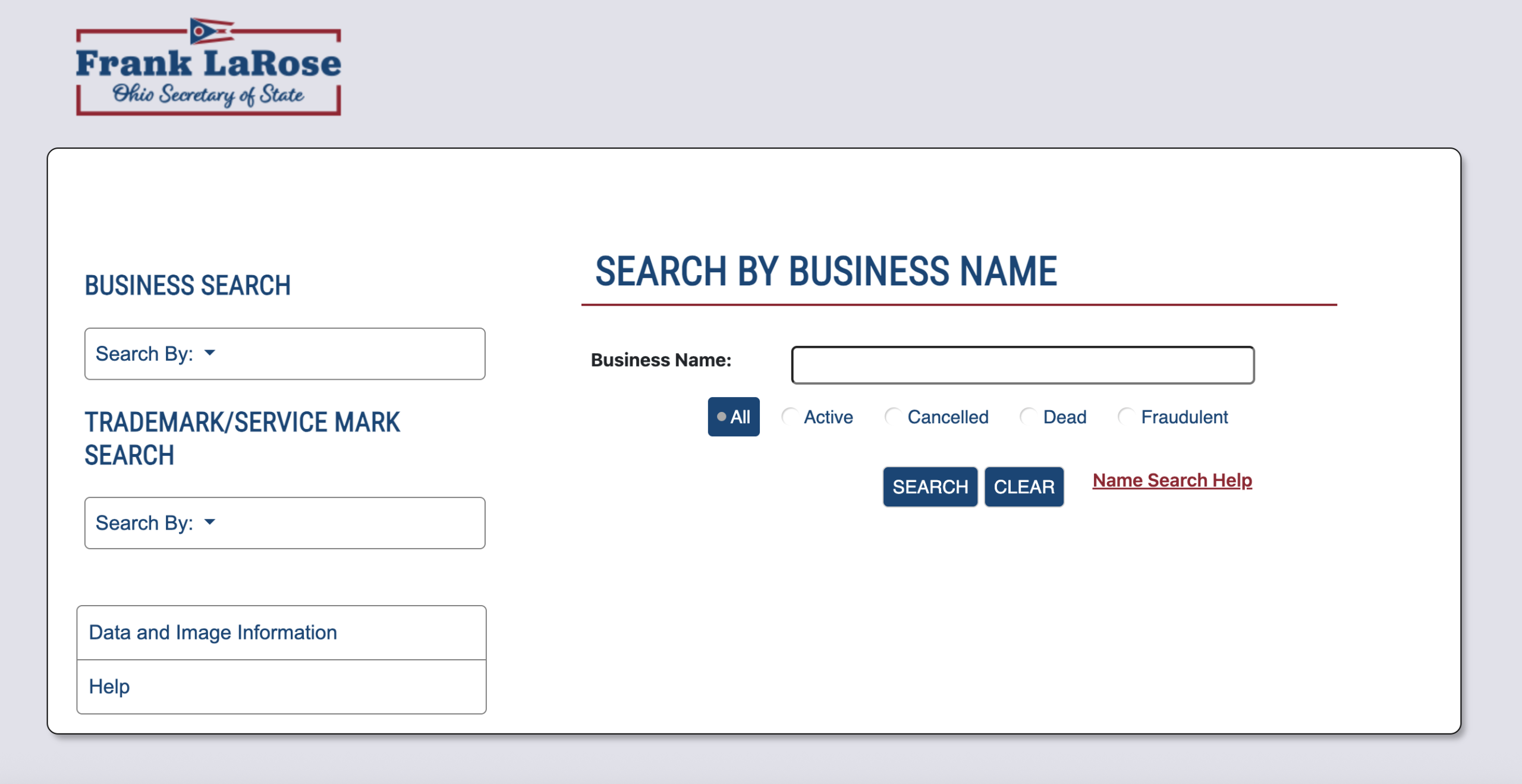
2. Select Search Options
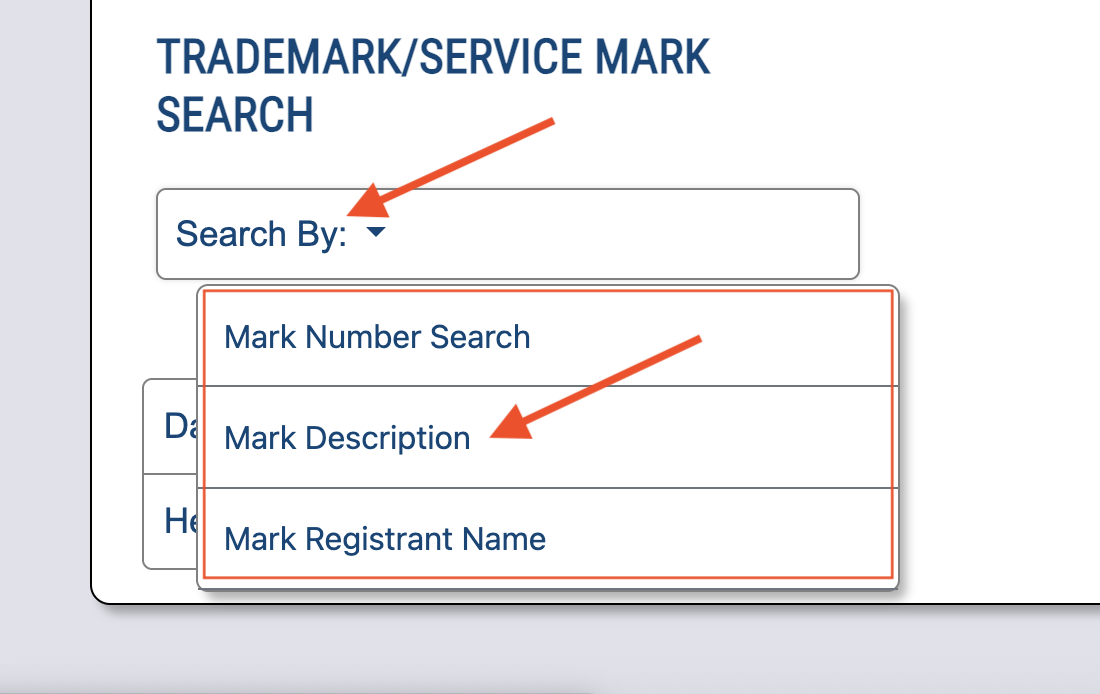
Click on the Search By drop down menu and select Mark Description. Below the search bar, one of the following options can calso be selected (see image):
- All
- Active
- Cancelled
- Dead
- Fraudulent
For this search, Active was selected to search for active trademarks only.
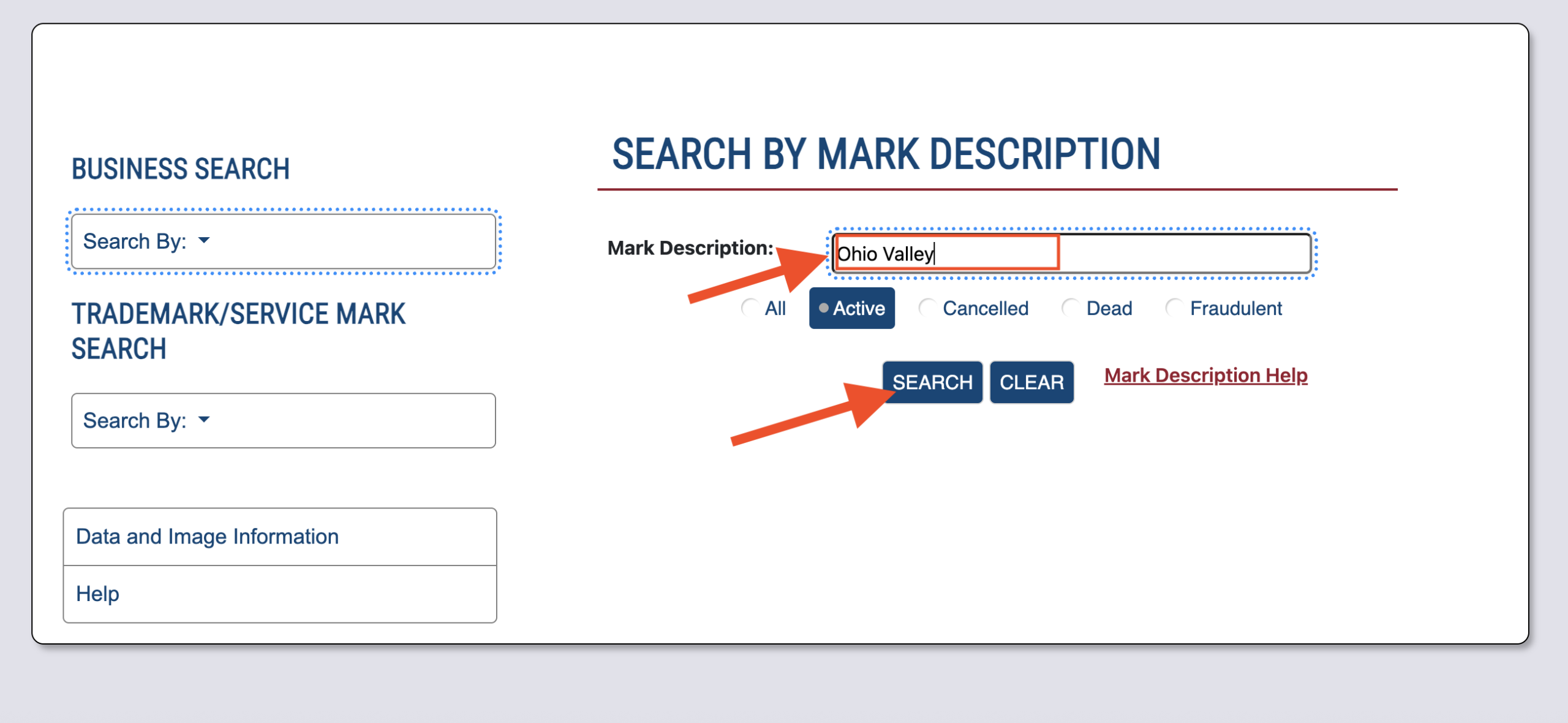
3. Search for Name, Keywords, or Description
Enter the name, words, or description being searched for into the Mark Description field and click Search to view matching results.
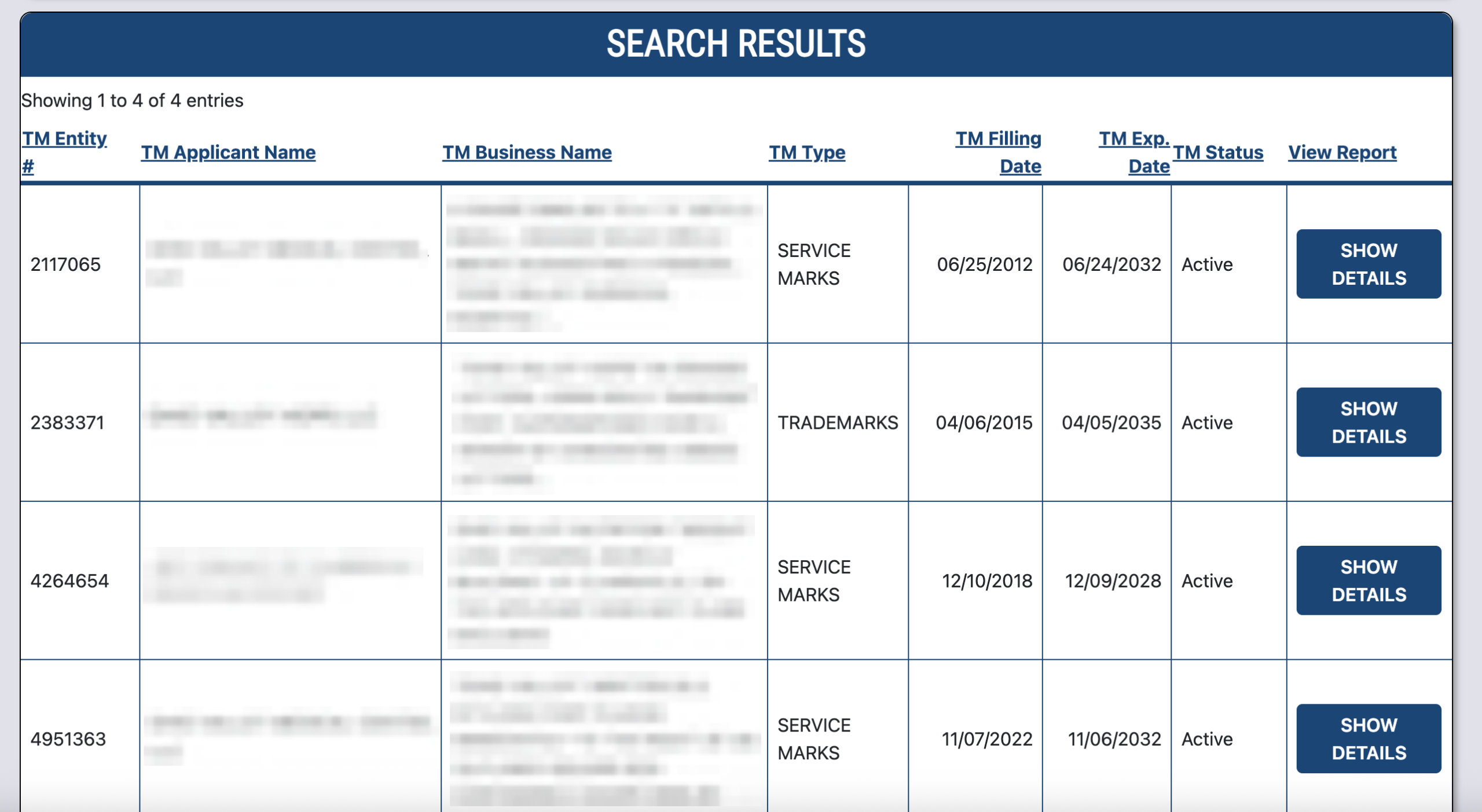
4. Search Results
A list of matching search results will appear below the search bar. Each result will show the following trademark information:
- TM Entity Number
- TM Applicant Name
- TM Business Name
- TM Type
- TM Filing Date
- TM Expiration Date
- TM Status
Clicking Show Details in the View Report column for a trademark will open a new window showing the mark’s Business Details & Filings.
5. Business Details & Filings
Business Details & Filings page will display the following information:
- Entity Number
- Business Name
- Filing Type
- Original Filing Date
- Status
- Expiration Date
- Agent/Registrant Information
- A list of Filings

