The Georgia trademark search is provided by the Corporations Division of the Secretary of State to provide users access to trademark and service mark data. The service only covers state-registered marks; trademarks registered federally must be researched using through the USPTO.
To be eligible for registration, certain conditions must apply, such as the mark cannot resemble another registered or previously used on a state or federal level.[1] Once an application is accepted, registration is valid for a period of ten years before renewal must occur.[2]
Trademark Search
1. Go to “Trademark Search” Page
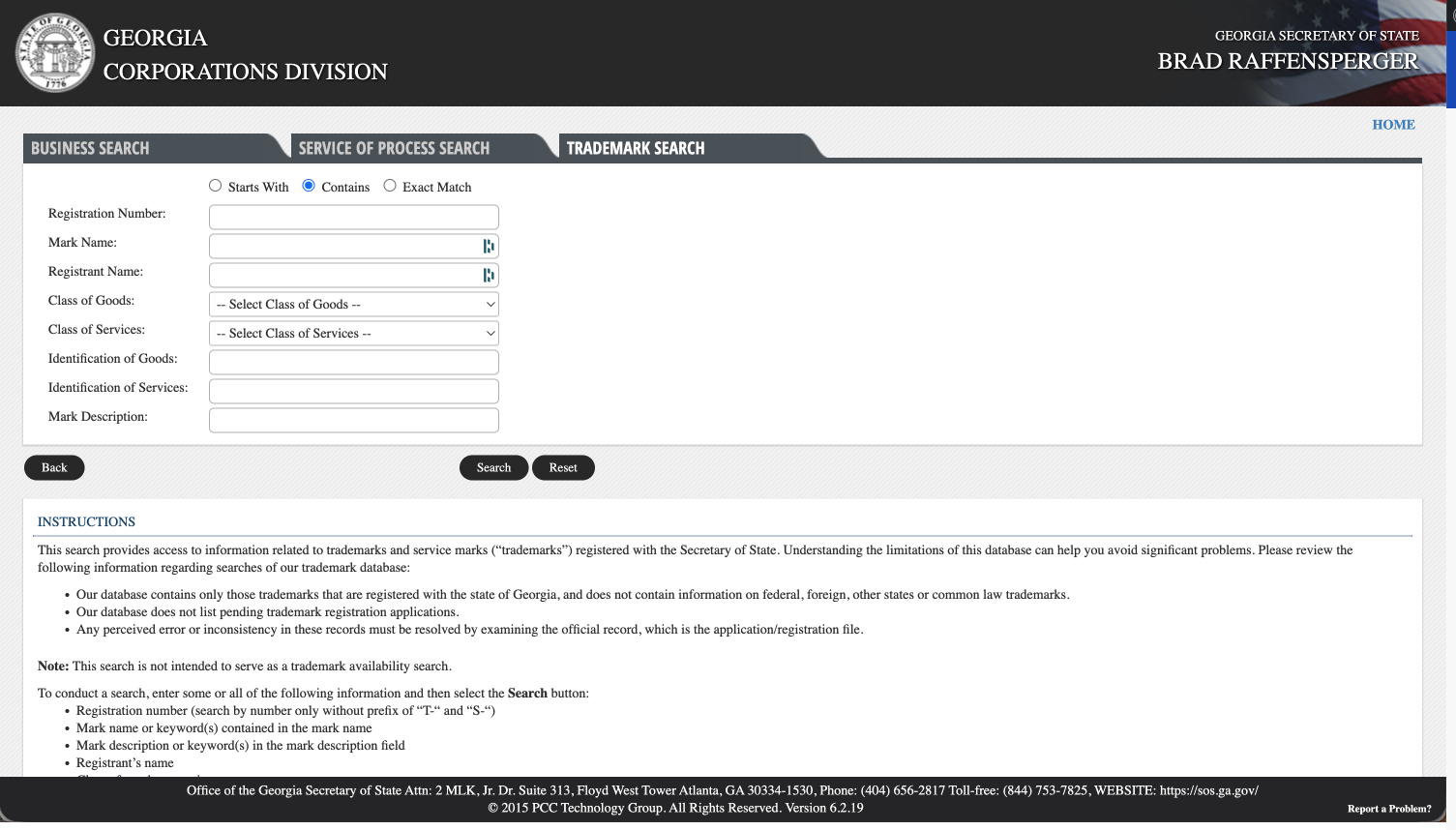
2. Enter Trademark Information
Trademarks can be researched using any combination of the below options:
- Registration number
- Mark name
- Registrant name
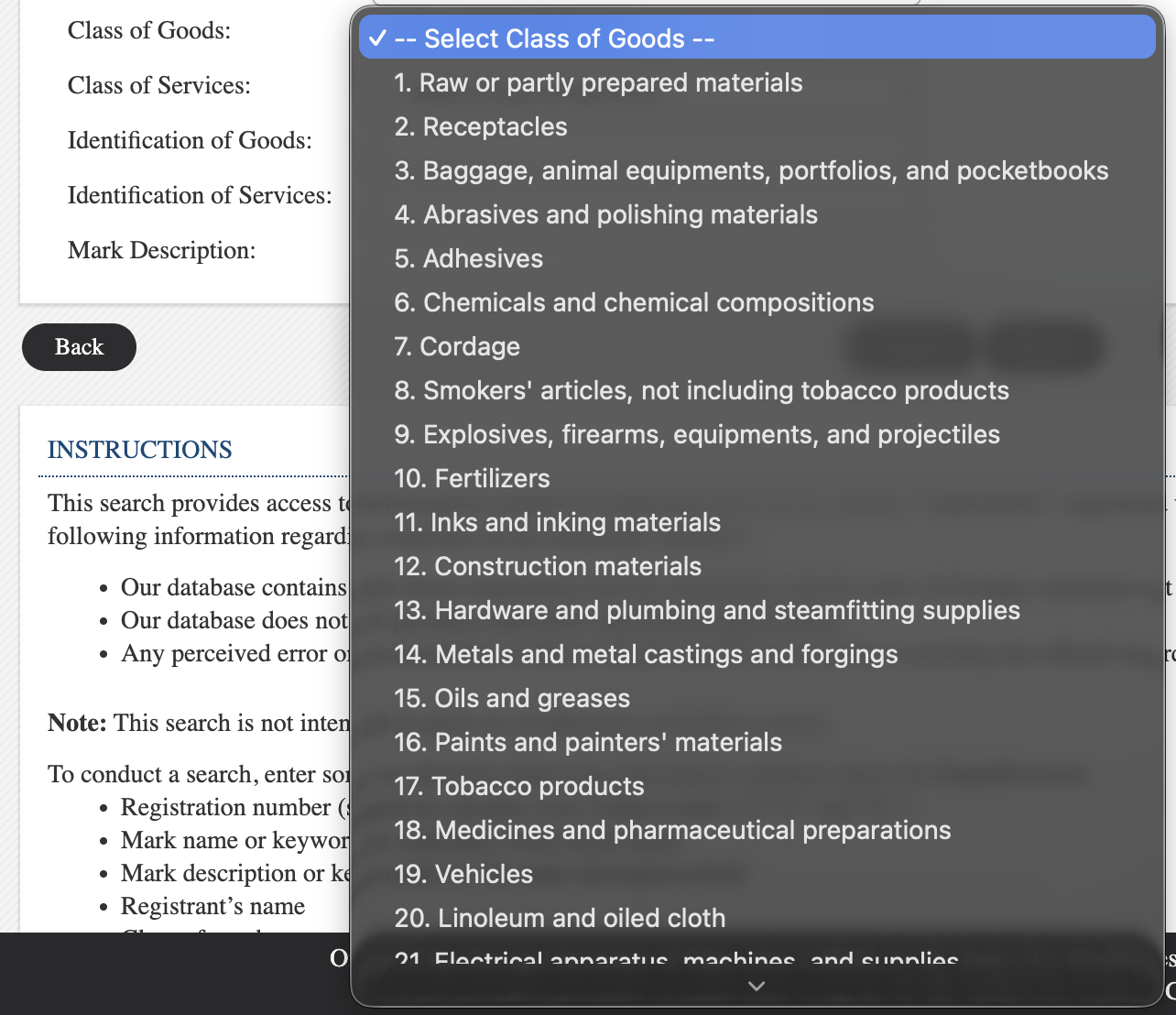
- Class of goods (see image)
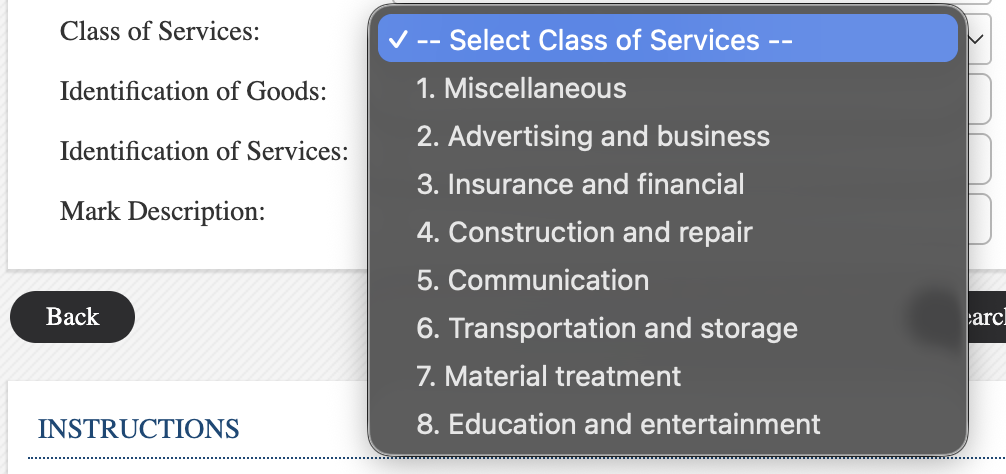
- Class of services (see image)
- Identification of goods (keywords found in the description of goods sold)
- Identification of services (keywords found in the description of services sold)
- Mark description
If searching by mark/registrant name, or by description, select the radio buttons at the top to indicate whether the result Starts With, Contains, or is an Exact Match of, the inputted info.
When ready, click Search.
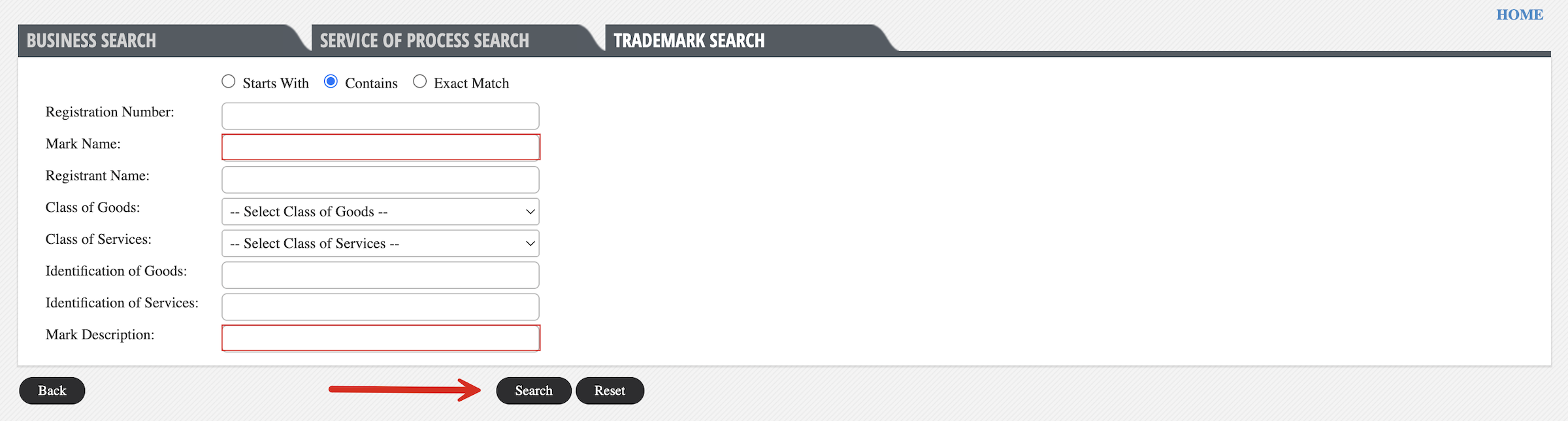
3. Review Search Results
The next page will present all trademarks that fall into the parameters of the search info given on the homepage. Information present at this stage includes:
- Mark name
- Registration number
- Mark type
- Class
- Registrant name
- Status
Clicking the Mark Name of any of the listed trademarks will open a webpage with more details.
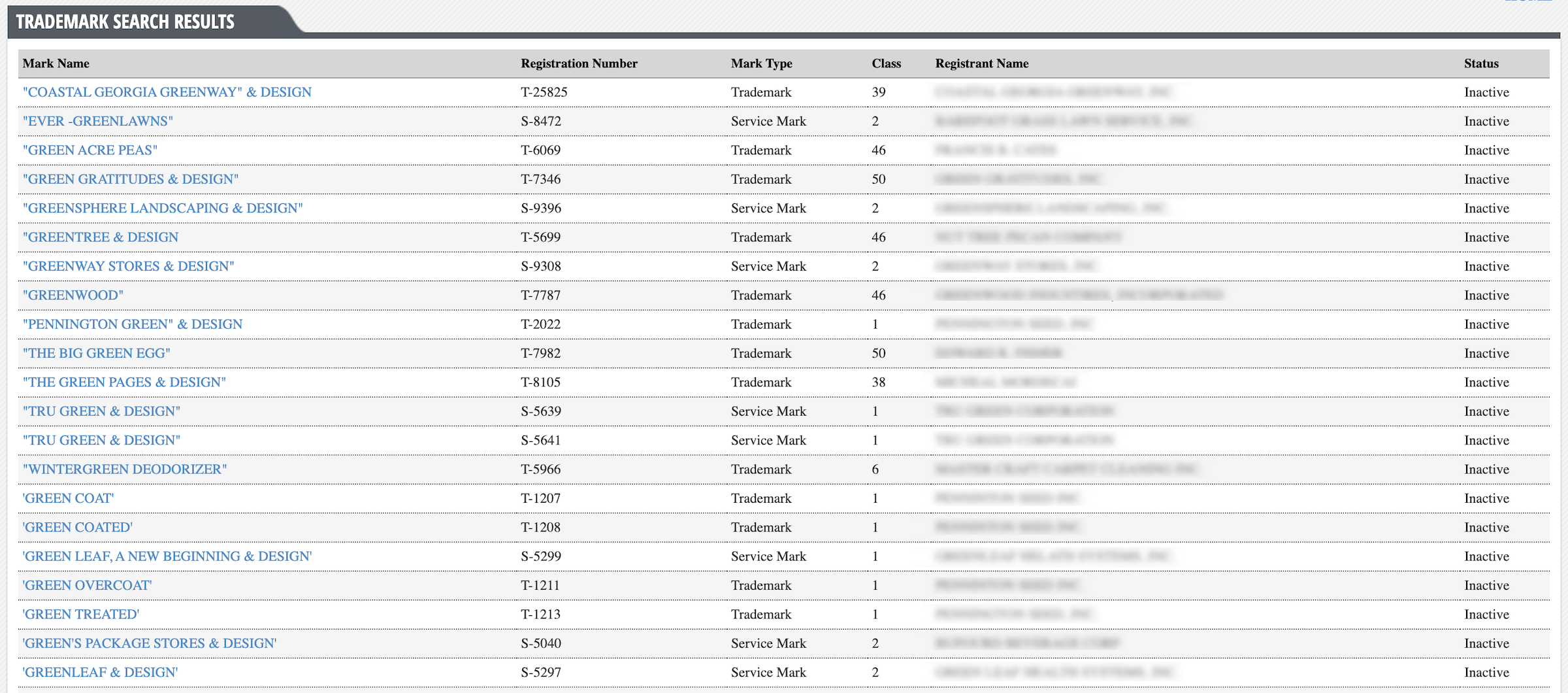
4. Review Detailed Info
On the detailed information page, users will be able to review the following mark info:
- Mark name
- Mark type
- Date of first use anywhere
- Date of first use in Georgia
- Registration number
- Status
- Registration date
- Expiration date
- Drawing of the mark (when applicable)
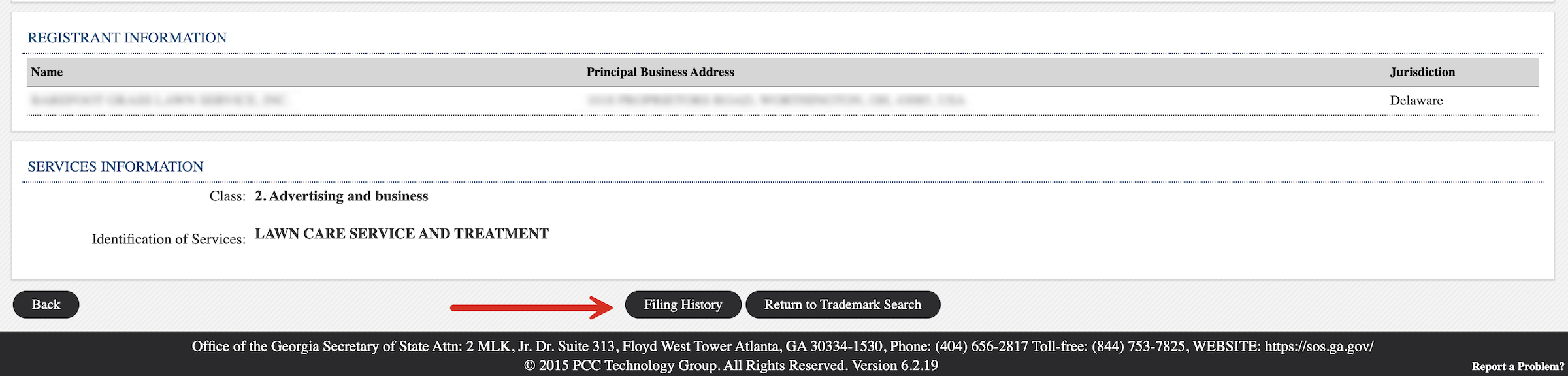
- Registrant name, address, jurisdiction
- Goods/services class
- Goods/services identification
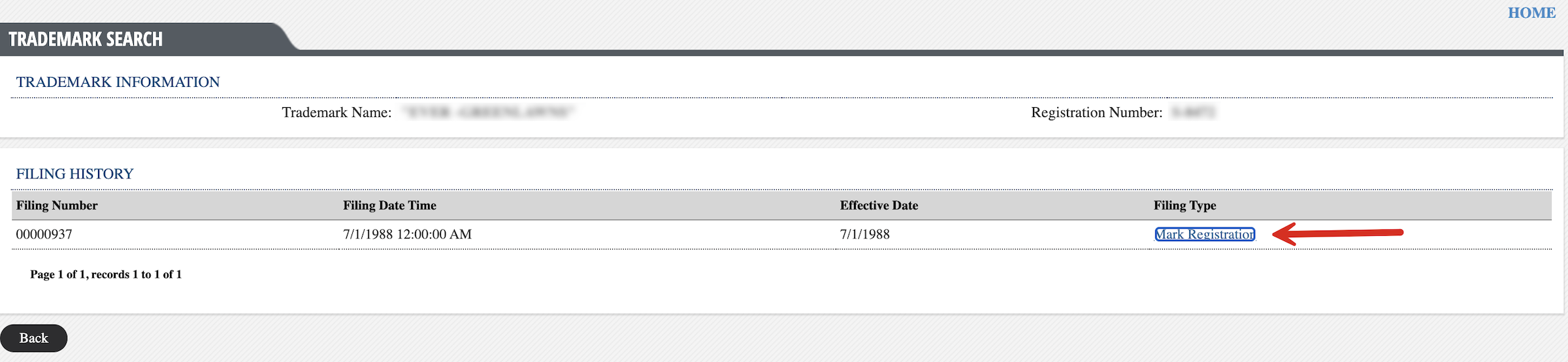
5. View Filing History
The Filing Type link (usually “Mark Registration“) can be clicked to view any documents associated with the filing (downloaded automatically in .tif format).