The Montana trademark search is an online tool available to the public for reviewing trademark and service mark registrations. Users can search the state database by mark name or registration number, then select a result to view its description, filing history, and current status.
Registration applications are filed through the Secretary of State’s online portal. The mark must be in use and meet statutory requirements before applying.[1] An accepted registration lasts five years and can be extended for successive terms if renewed within the final six months.[2]
Trademark Search
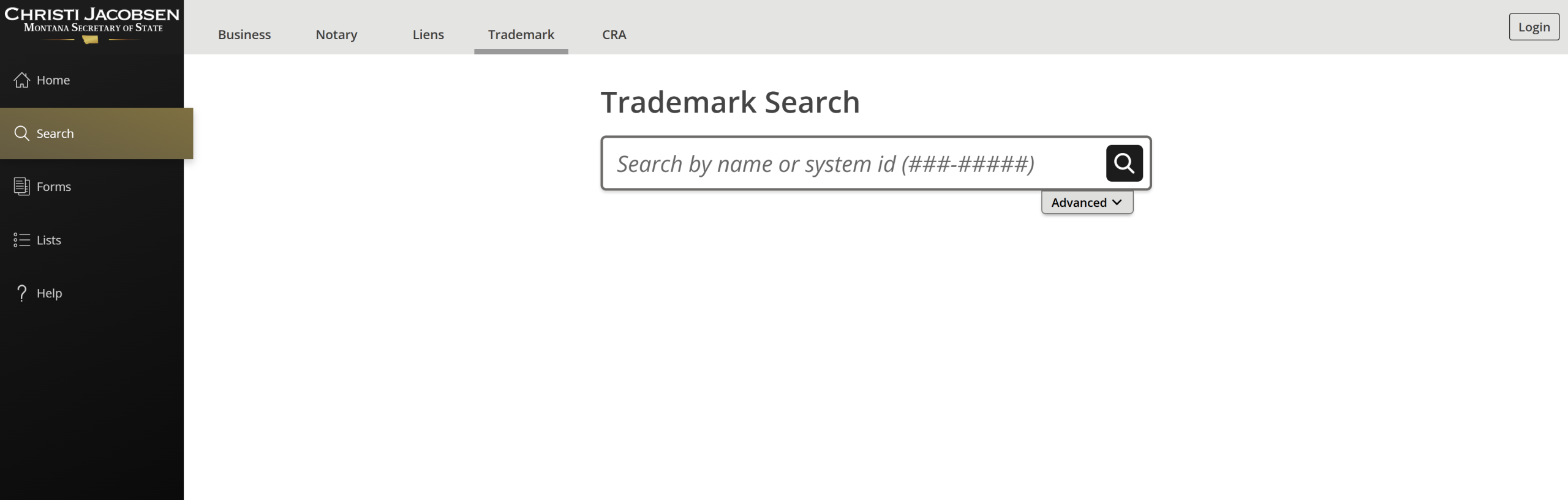
1. Go to “Trademark Search” Page
2. Enter Mark Information
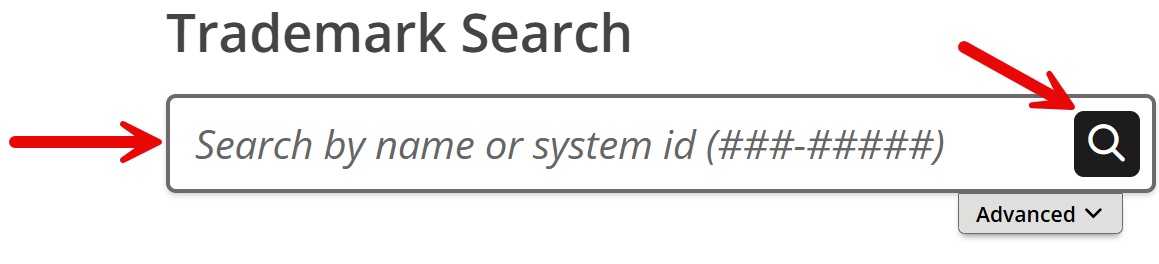
The field below Trademark Search is used to enter the mark information. Type the mark’s name or registration number there, then select the magnifying glass to run the search.
3. Examine Results
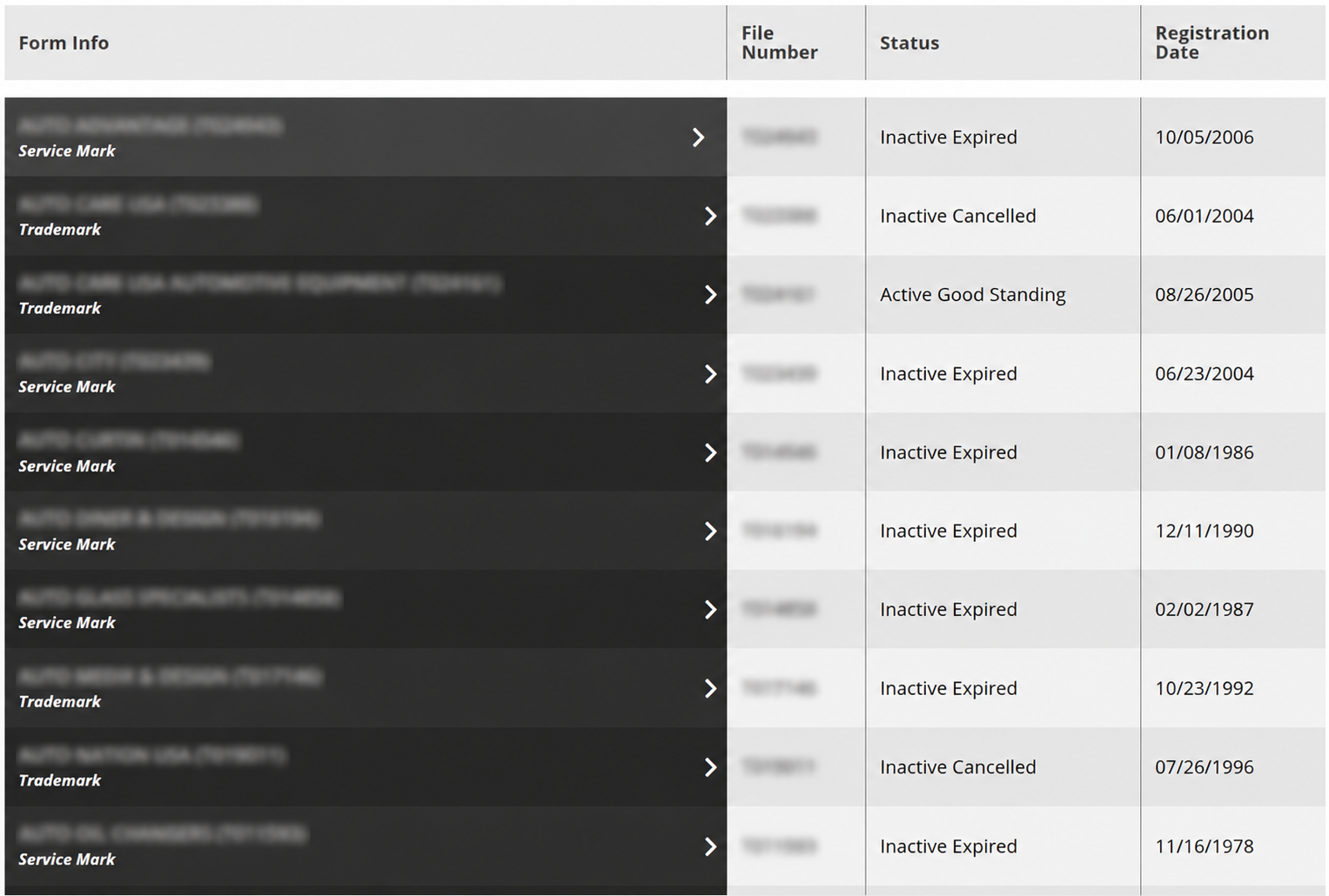
If the information provided in the search matches marks in the Secretary of State’s database, those marks will appear directly below the search tool. The results list shows each mark’s registered name, file number, status, and registration date.
Selecting any mark name opens a window on the right side of the page with additional mark information and options.
4. View Mark Details
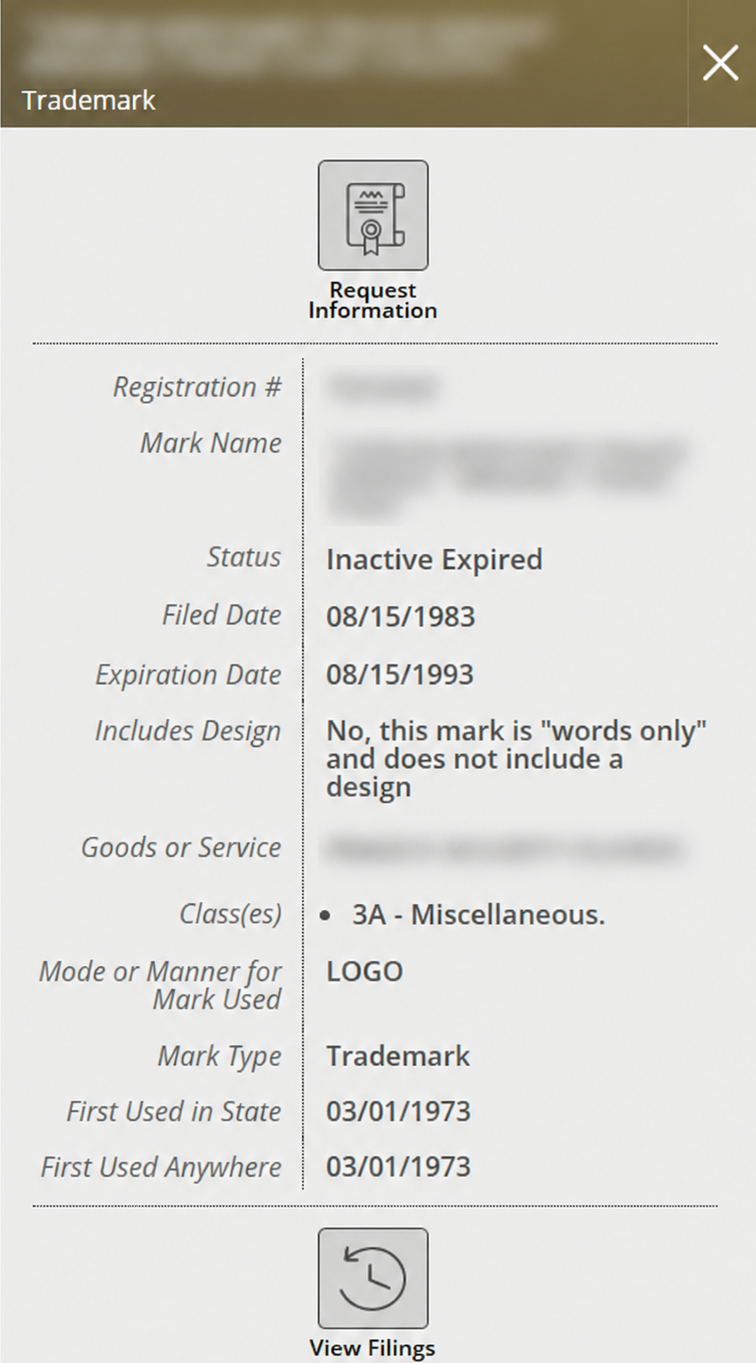
The panel that appears on the right side of the page will include the following information:
- Registration number
- Mark name
- Status
- Initial filing date
- Expiration date
- Whether the mark includes a design
- Description of goods or services
- Classes
- Mode or manner of use
- Mark type
- Date first used in Montana
- Date first used anywhere
Additional Options: Selecting Request Information opens an online form to request official documents related to the mark. The mark’s filing history can also be accessed by selecting View Filings.