
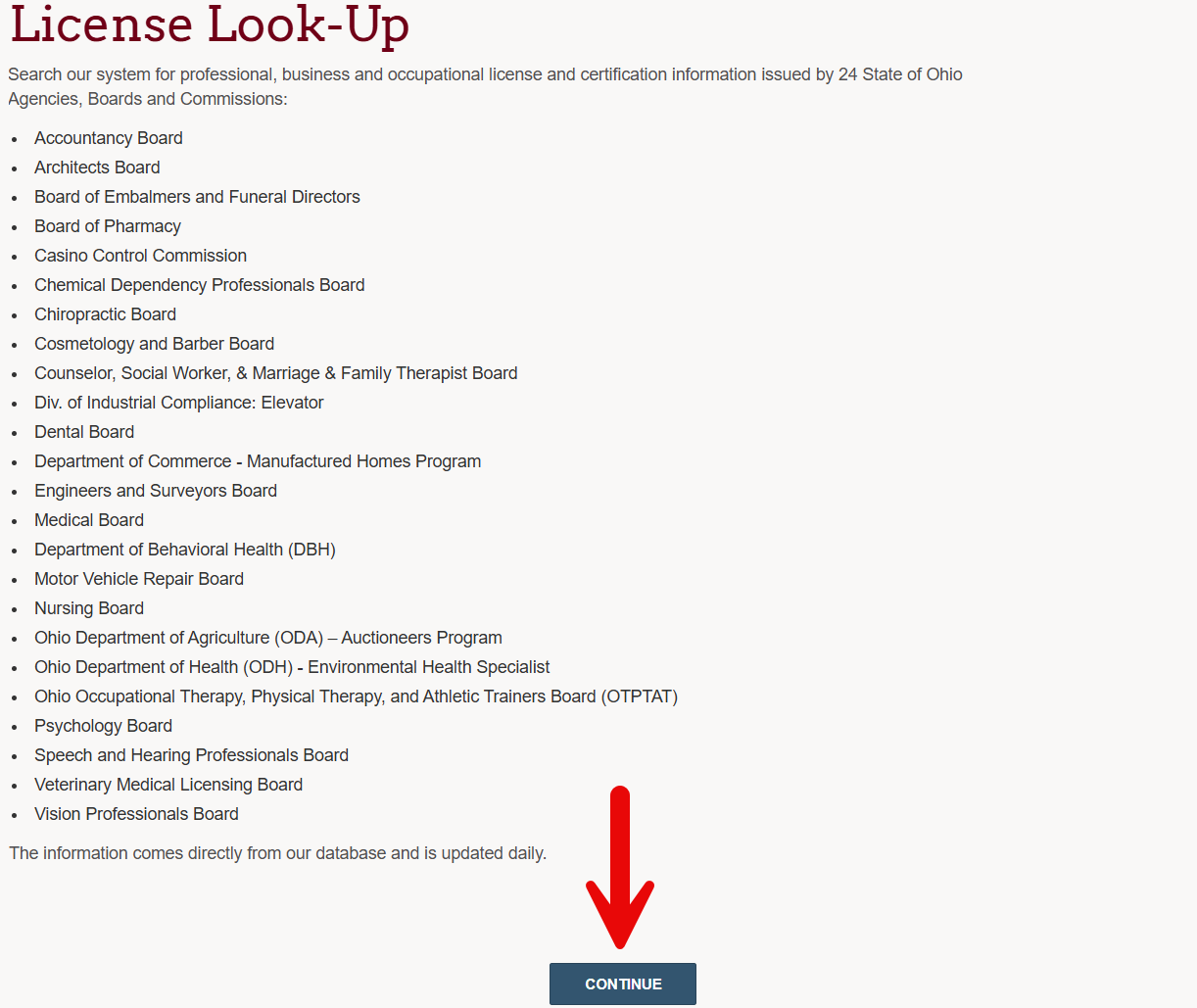
The Ohio professional license search is a database provided by eLicense Ohio Professional Licensure that allows users to search for licensees across a large number of state agencies, boards, and commissions. There are 24 boards in the eLicense system and searches can be conducted by licensee name, residence, or number. A number of professions are not listed on this portal, but licensees in those industries may be found by using one of the sidebar searches.
Professional License Lookup
1. Visit the eLicense Portal to Continue
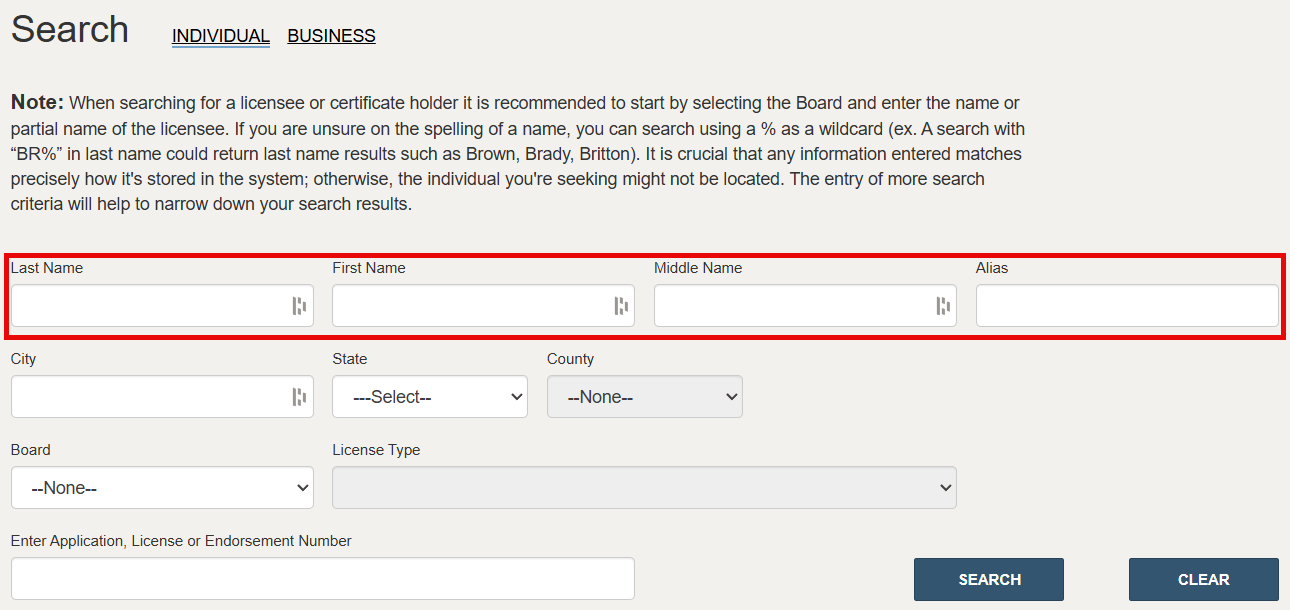
2. Provide Licensee Name
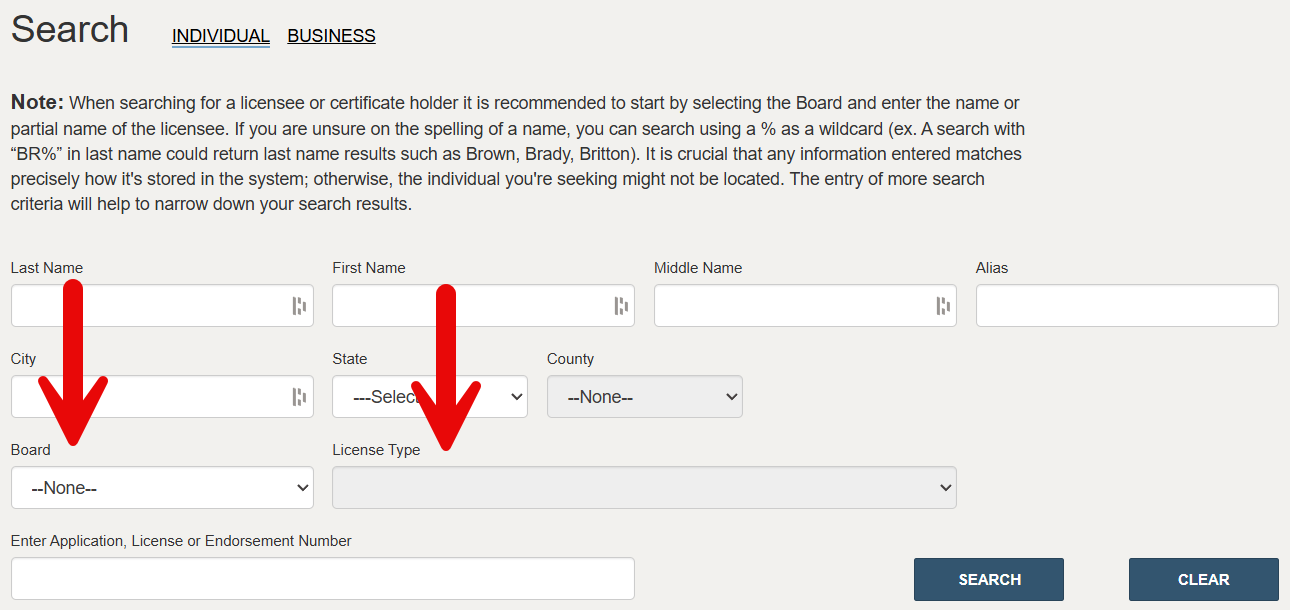
If the full or partial name of the licensee is known, enter their last, first, and middle name or alias into the fields provided.
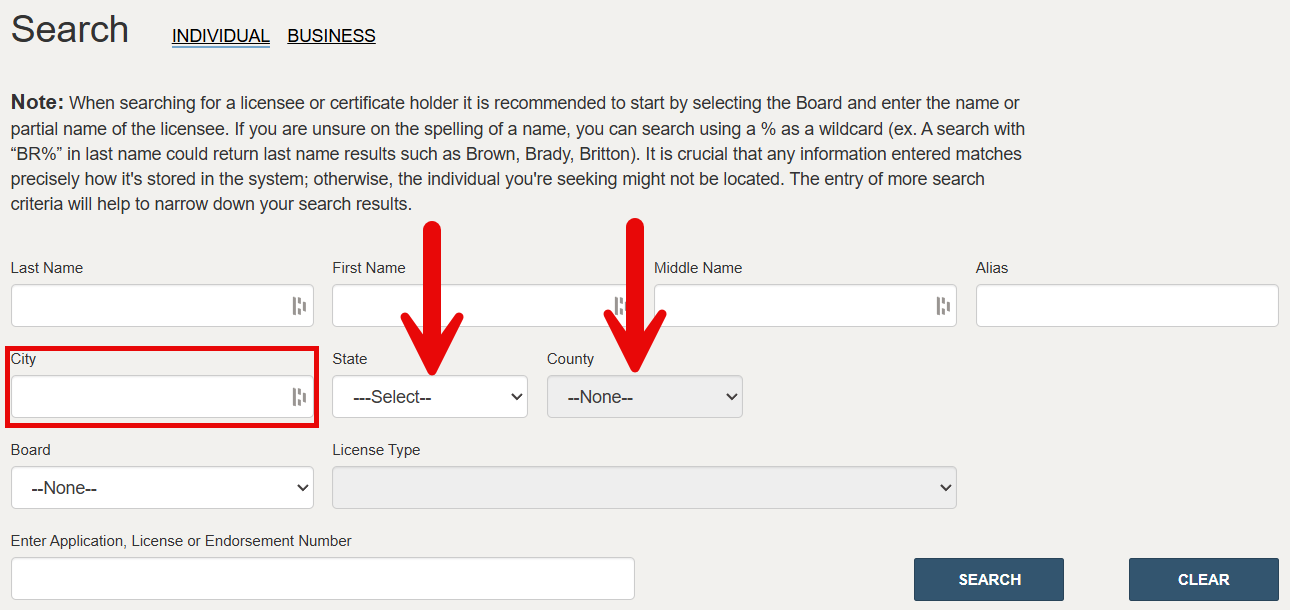
3. Enter Location Info
If the residential location of the professional is known, enter the city in the field provided, select the state, and choose the applicable county.
4. Select License Type
Click on the Board dropdown menu and select the appropriate licensing board from the list. Then, choose the applicable License Type from the second menu.
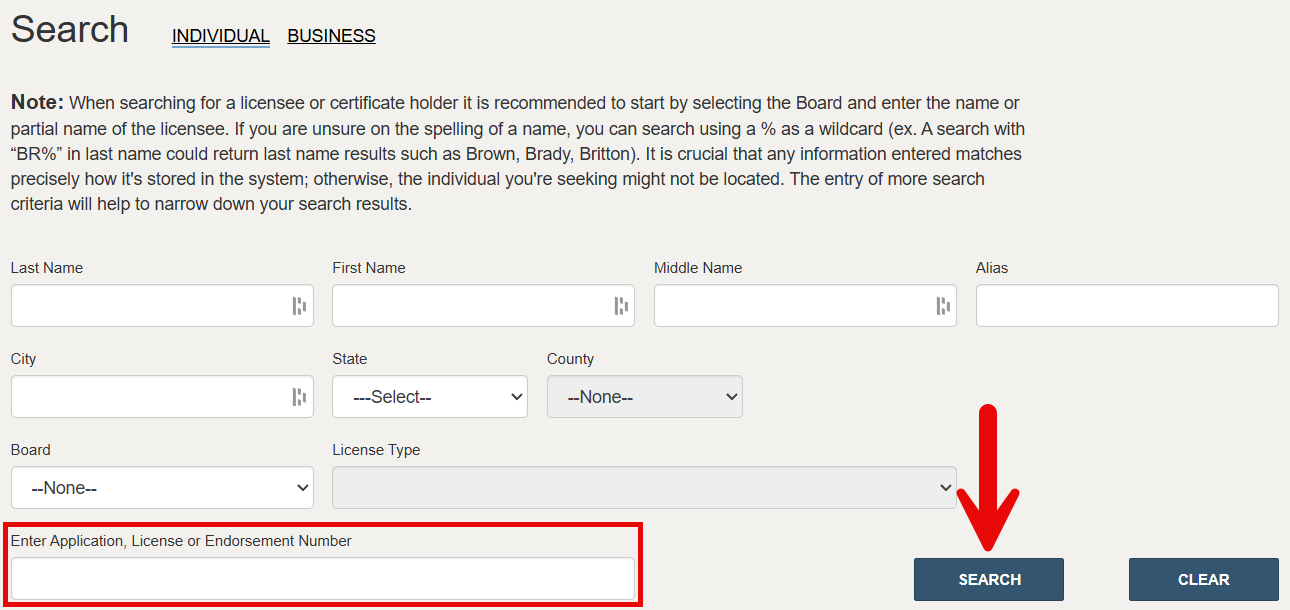
5. Enter License Number
Enter the licensee’s application, license, or endorsement number into the field provided. (Skip this field if their certification number is unknown.) Click SEARCH to see if the provided search criteria yields any results.
6. View Search Results
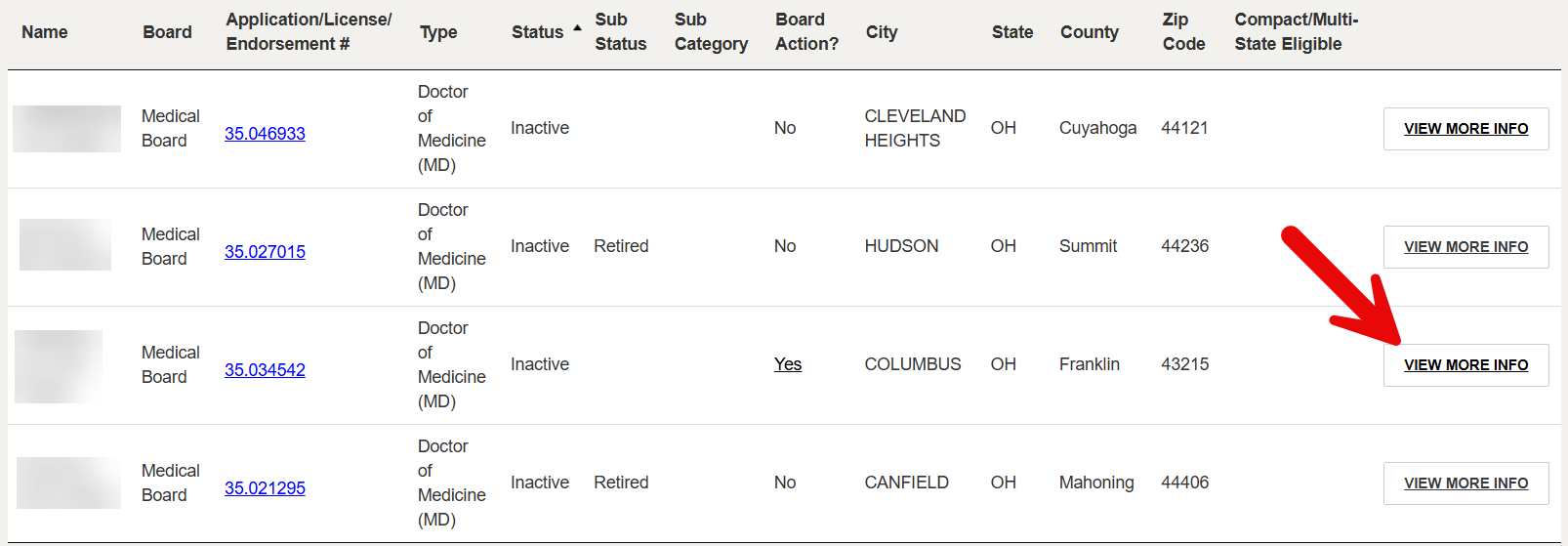
Any licensees that match the information provided will be listed along with their certification number, license type, license status, sub status, board actions, city, state, county, and ZIP code.
Click on a license number to bring up additional license activity (see image). To see additional licensee details and board actions, click VIEW MORE INFO.
7. Inspect Licensee Details
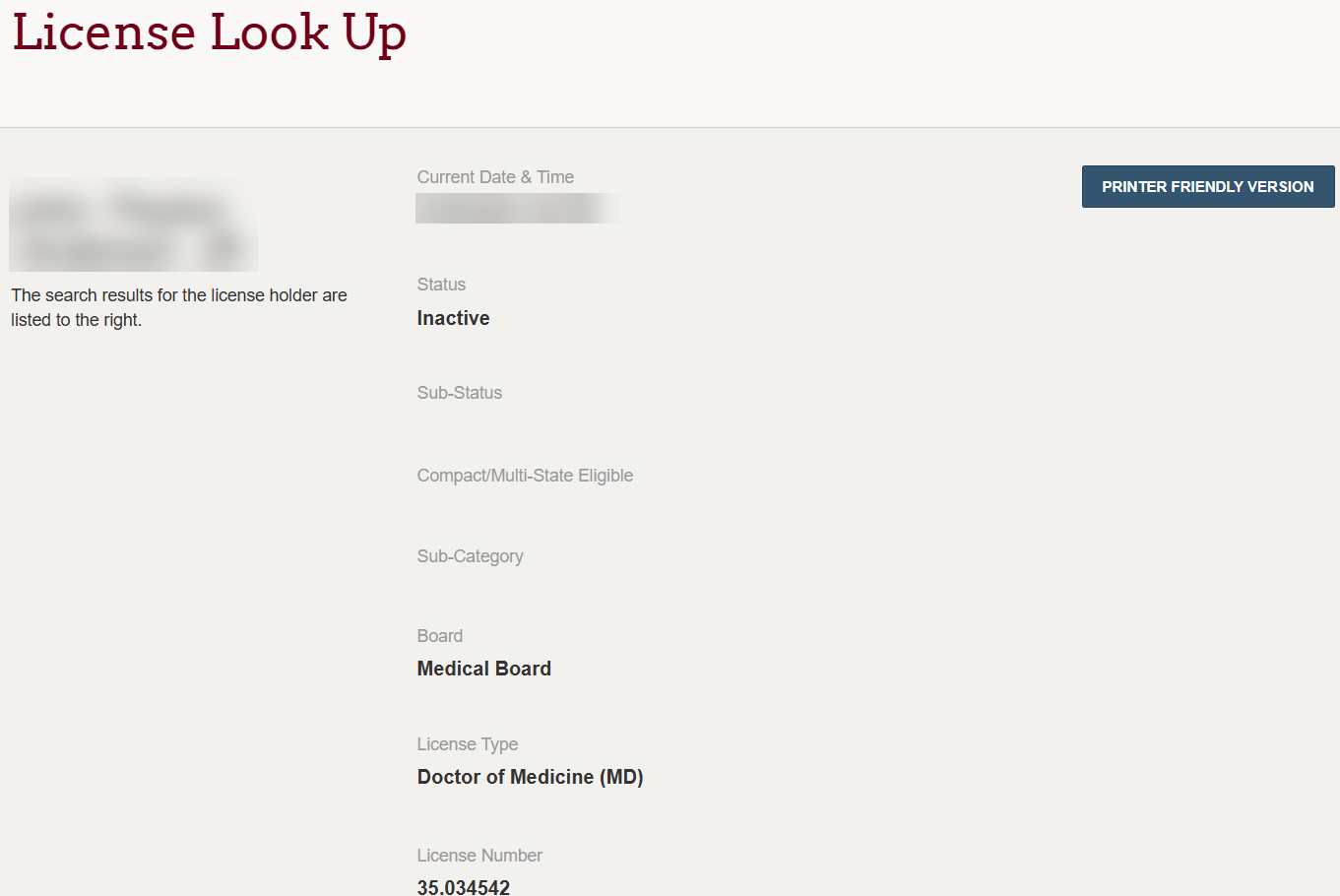
The following details are listed to the right of the licensee’s name:
- Status
- Sub-status
- Compact/multi-state eligible (Y/N)
- Sub-category
- License type
- License number
- License issue date
- License effective date
- License expiration date
- City
- State
- County
- Board action (Y/N)
Scroll down the page and click View to bring up any board actions associated with the licensee (see image).
8. Examine Board Actions
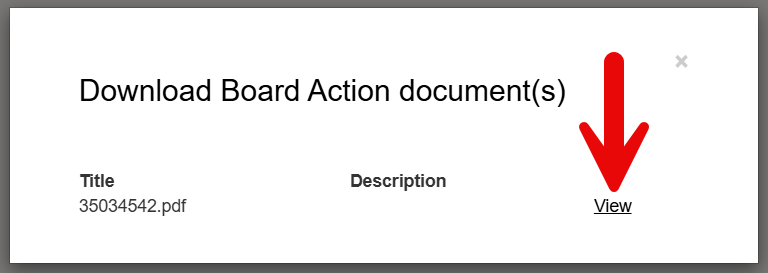
If any board actions were taken against the professional during their tenure, click View next to any available PDF link to open up the document.